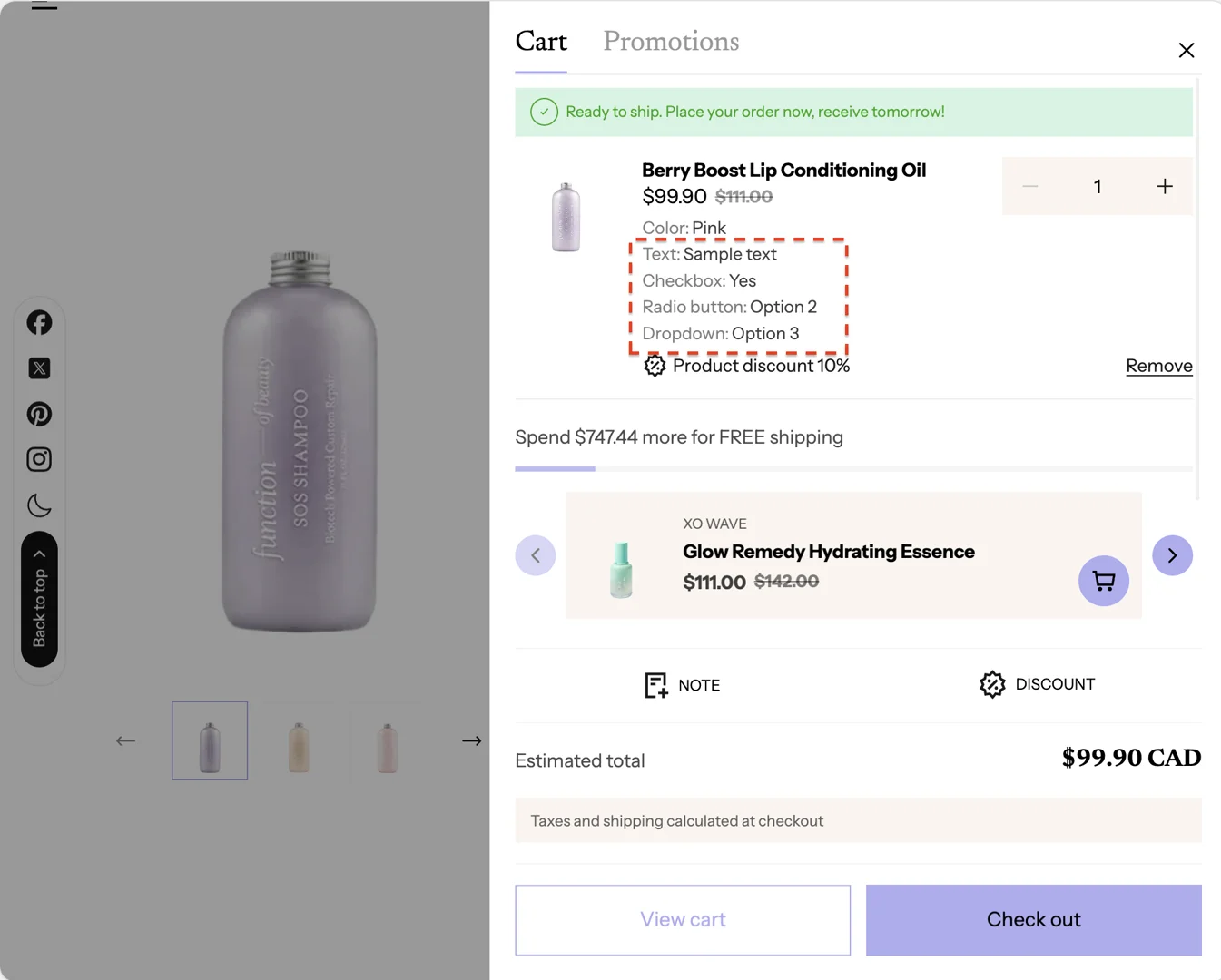
Product line item properties
This guide describes how to add additional information for a product when adding it to the cart.
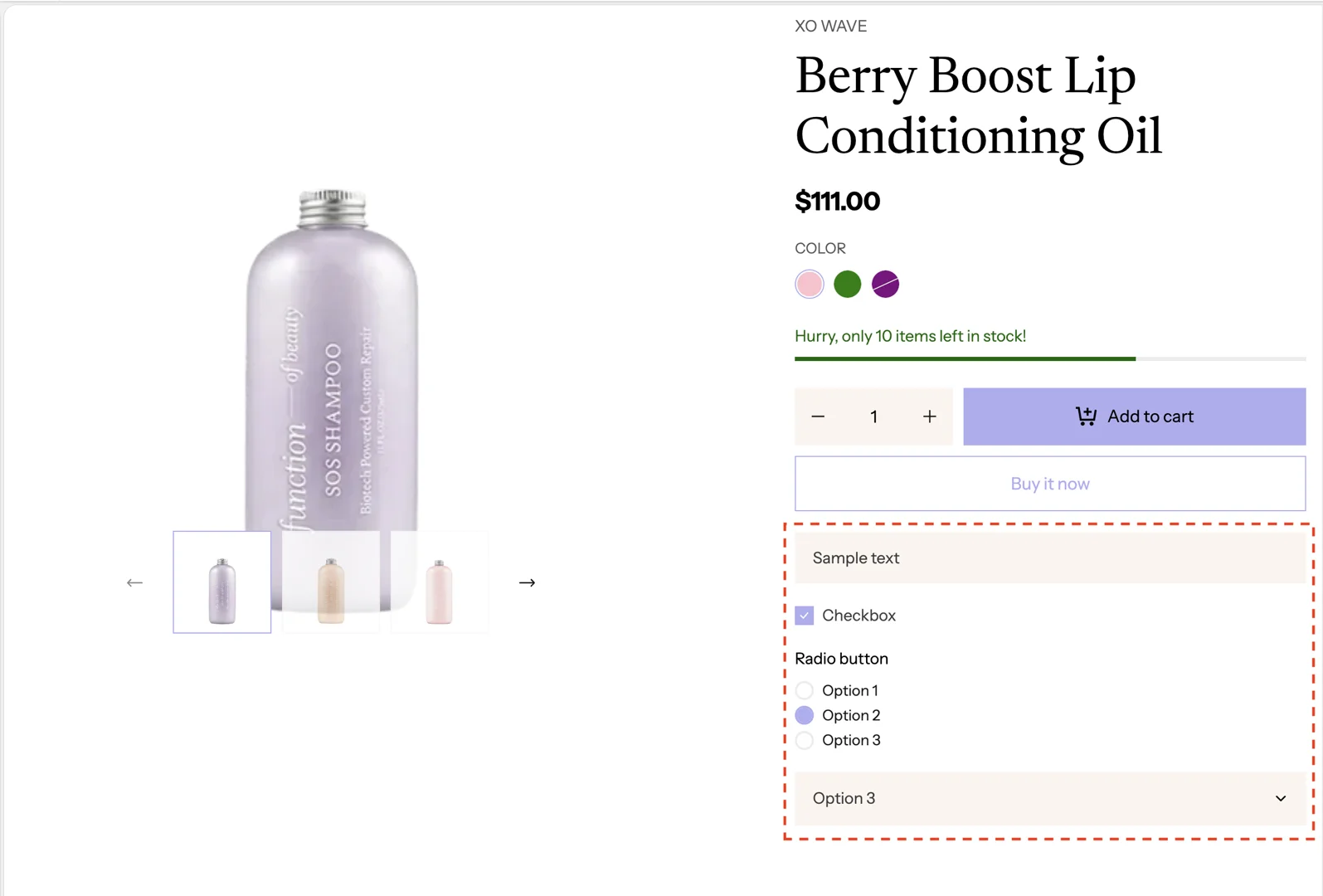
Setup Main product section
-
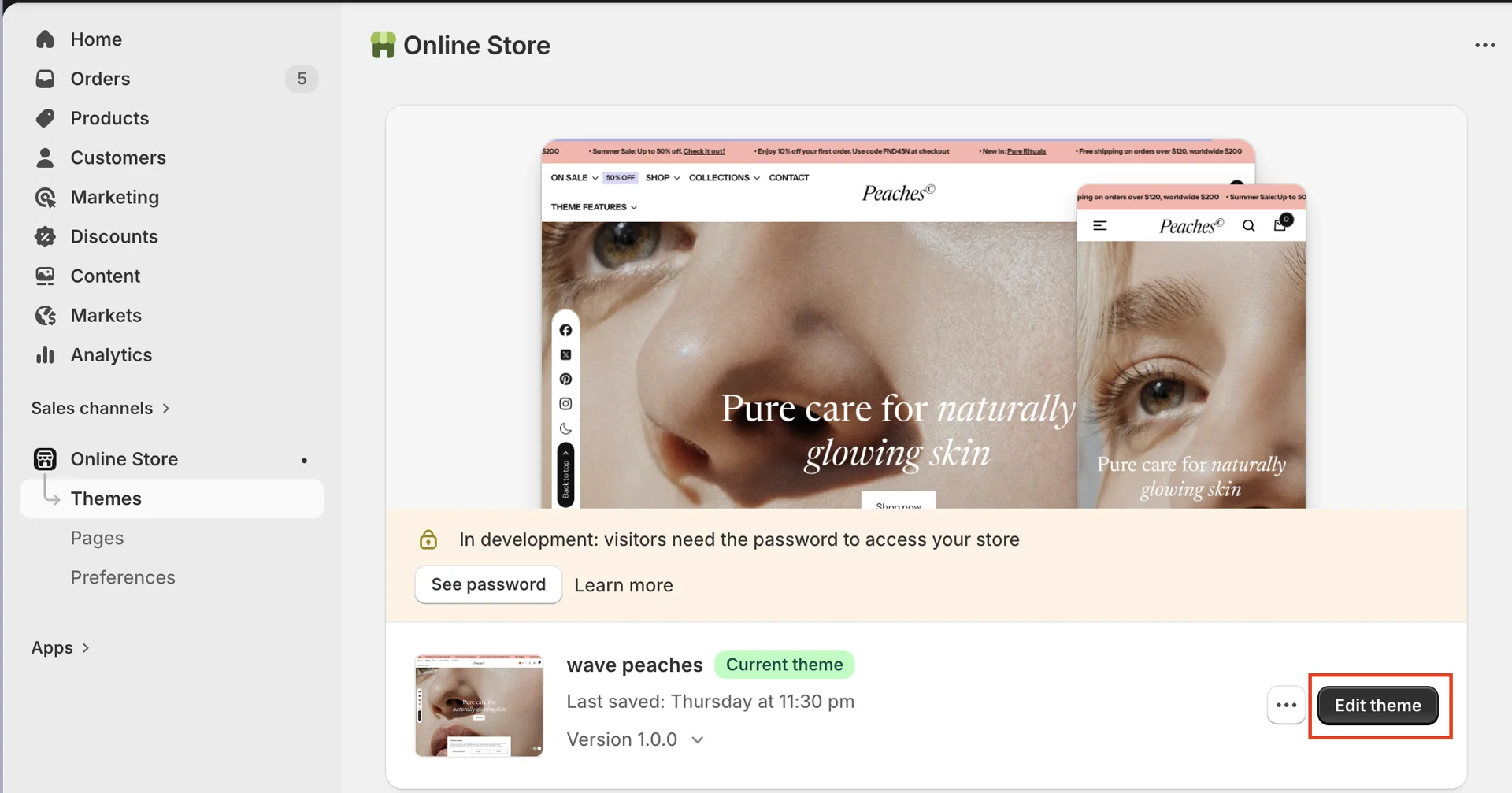
On your store's Shopify admin page, from the left-side menu, select Sales channels > Online store > Themes.
-
In the Current theme section, select Edit theme (or Customize) to open the Theme editor.
- Go to the product page > Main product > Product content block > add block Line item properties > add block Properties item
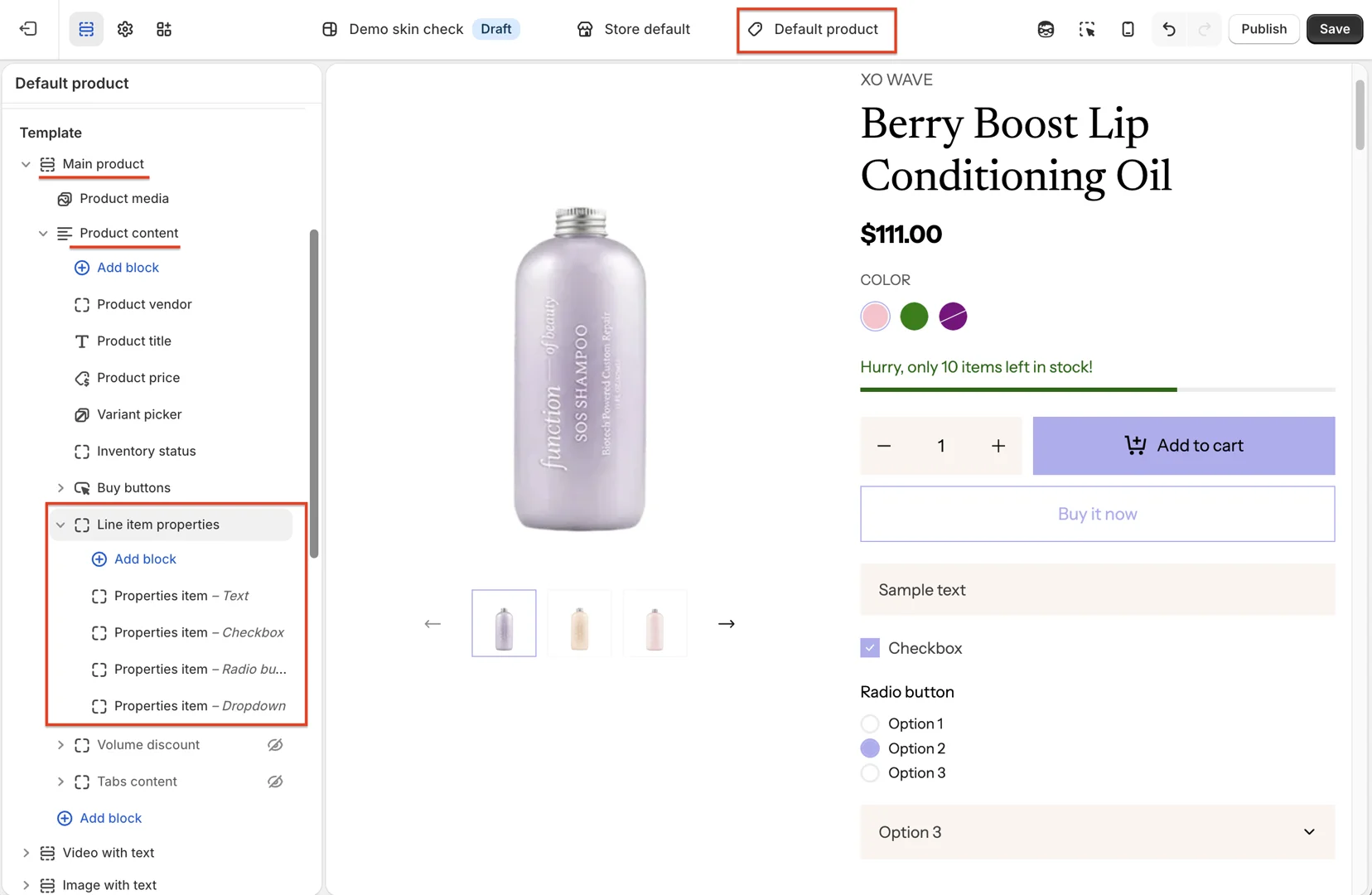
- Configure block Properties item
There are 4 types of input you can use: Text input, Checkbox, Radio button, and Dropdown select.
After the user selects or enters information in the fields, the information will be added to the cart.