Absolute header
This guide explains how to use the theme’s per-page absolute header feature (absolute headers are typically used when the first section of the page has a background image).
Normal header: The header will have its own background.

Absolute header: The header can use the background image from the first section as its background, creating a more premium / modern look for your website. This helps users focus more on the hero banner area.

Header settings guide
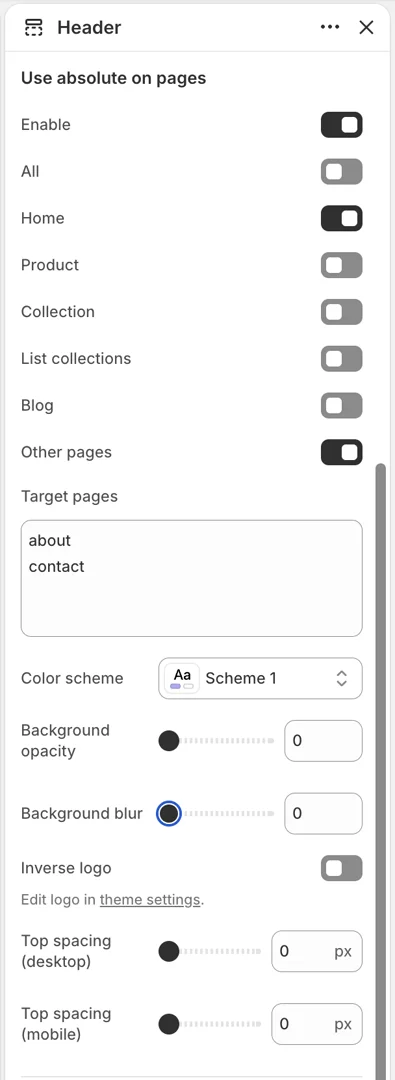
-
All: Apply the absolute header on all pages
-
Home: Apply the absolute header only on the homepage
-
Product: Apply the absolute header on product detail pages
-
Collection: Apply the absolute header on collection pages (product listing)
-
List collection: Apply the absolute header on the collection list page
-
Blog: Apply the absolute header on blog pages
-
Other pages: Apply the absolute header to specific Target pages. Enter the handles of the pages you want to apply it to using the format shown in the image, then press Enter to add line breaks between handles