Dark/Light mode
This guide describes how to set up Dark/Light mode.
To enable dark mode, you must have at least one color scheme for dark mode with a dark background, light text, etc.
-
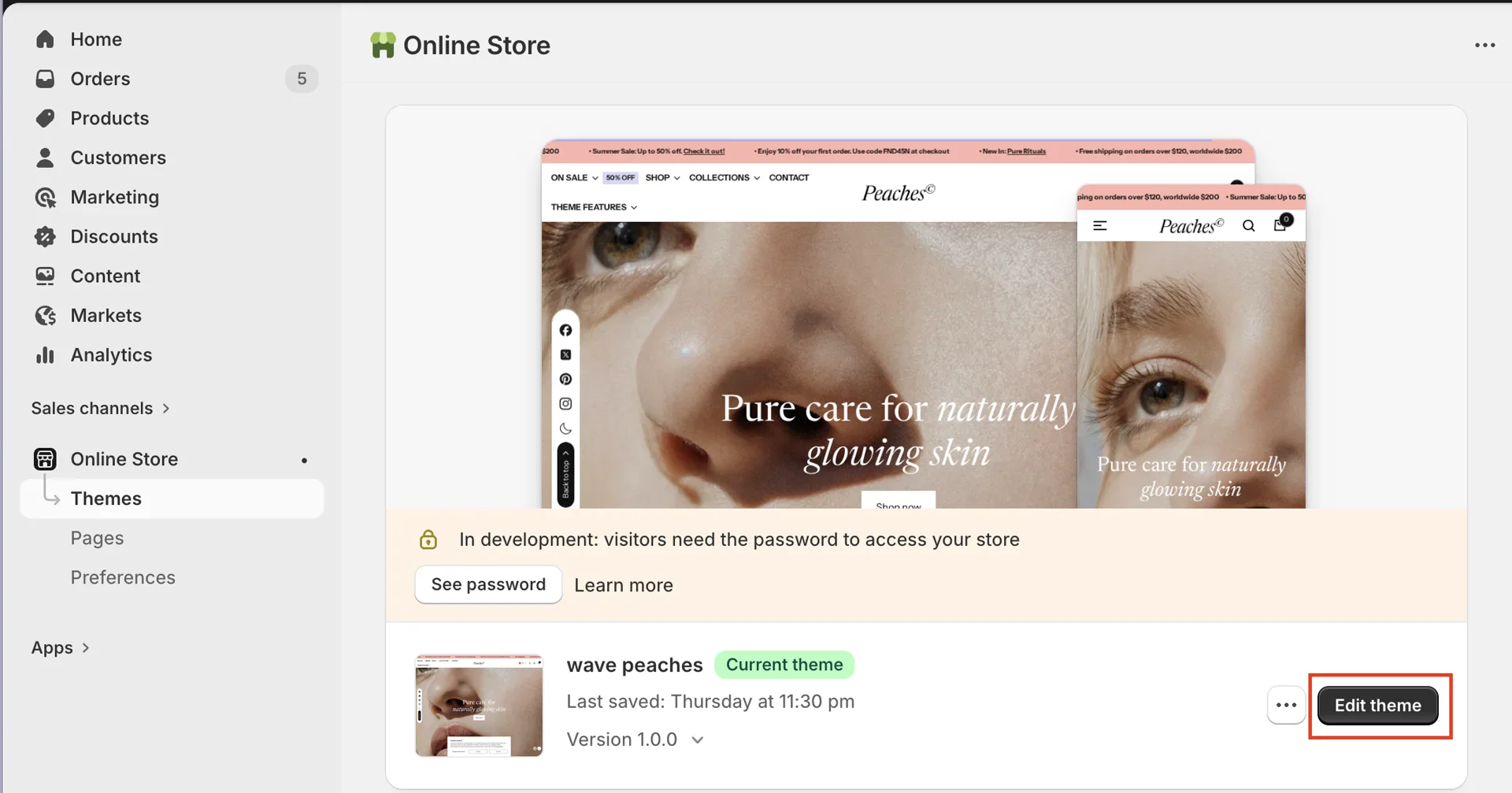
On your store's Shopify admin page, on the side menu, select Sales channels > Online store > Themes.
-
In the Current theme section, select Edit theme (or Customize) to open the Theme editor.
- In the editor, on the left side, switch to the Theme settings tab > Dark mode.
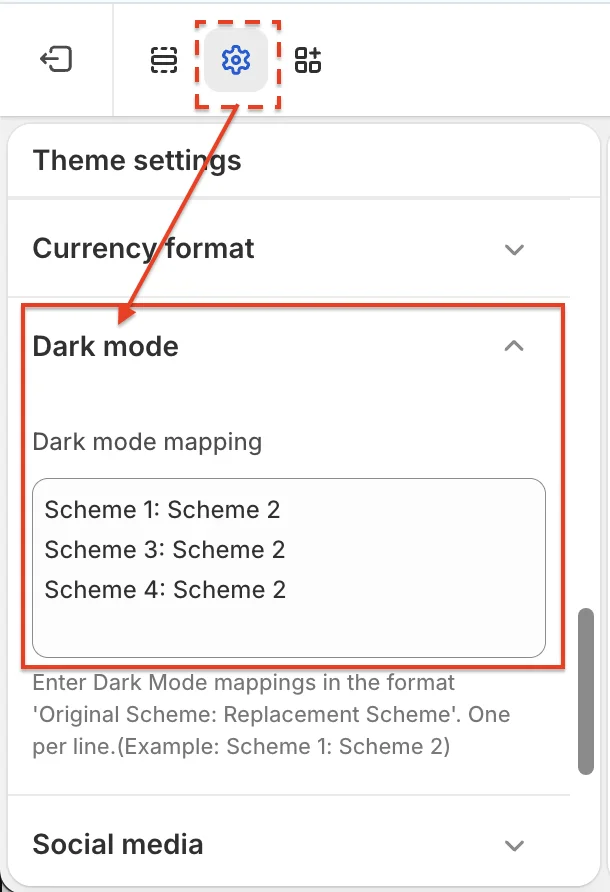
- In the Dark mode mapping field, enter the color scheme in the format: "Light color scheme: Dark color scheme". To list multiple color schemes, press Enter to move to the next line.
For example, based on the image above:
-
Light color scheme: Scheme 1, Scheme 3, Scheme 4
-
Dark color scheme: Scheme 2
=> When you click the Dark/Light button to switch to dark mode, the sections that use the color schemes Scheme 1, Scheme 3, and Scheme 4 will switch to using the color scheme of Scheme 2.