Testimonial Sections
Testimonial sections add social proof from customers and the press. Lotio includes 4 testimonial sections, covering a quote grid, parallax press quotes, a letters carousel, and a scrolling press marquee.
Testimonial grid
A section heading above an asymmetric quote grid. Featured testimonials render as large cards on the left while the rest stack in a narrower column on the right.
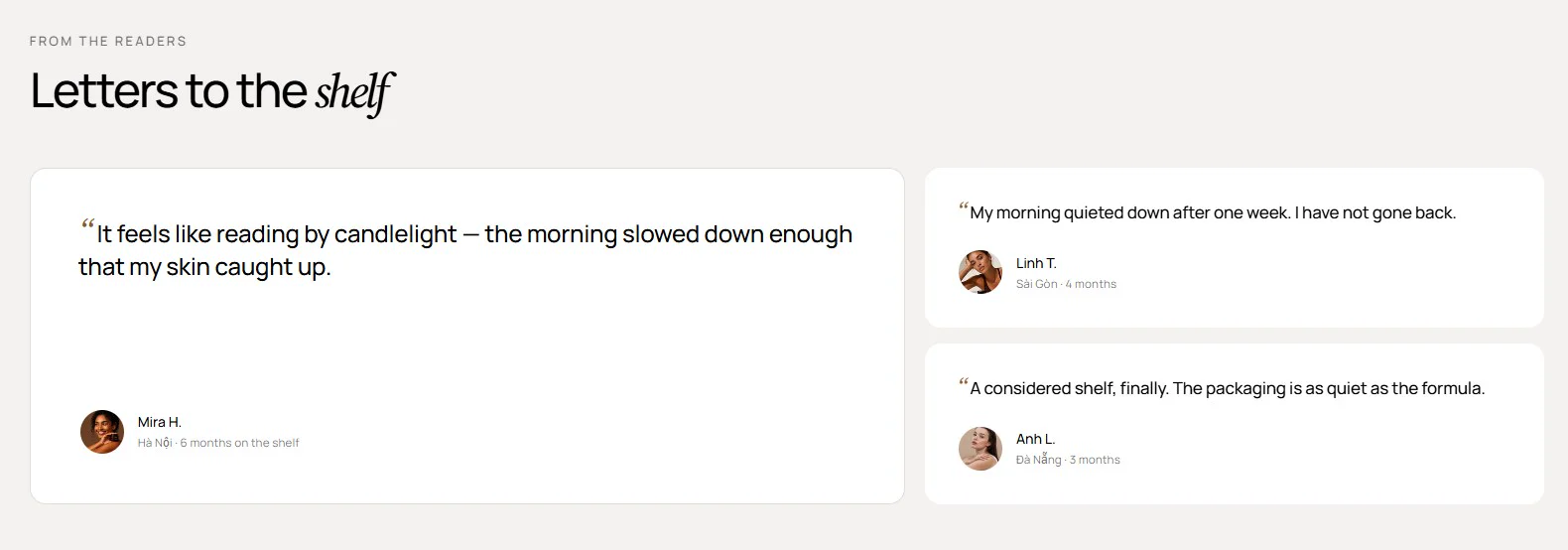
Features:
- Heading group with overline, heading, intro, size, and alignment
- Accent the italic word in the heading with your primary color
- Up to 9 testimonials
- Featured toggle that moves a testimonial to the large left column
- Quote with a decorative opening mark
- Avatar image, name, and detail line per testimonial
- Cascading reveal animation
- Blocks: Testimonial
Press quotes
Critic quotes arranged in a zigzag stack that reveals with depth parallax as the visitor scrolls. Quotes alternate left and right beneath a centered heading.
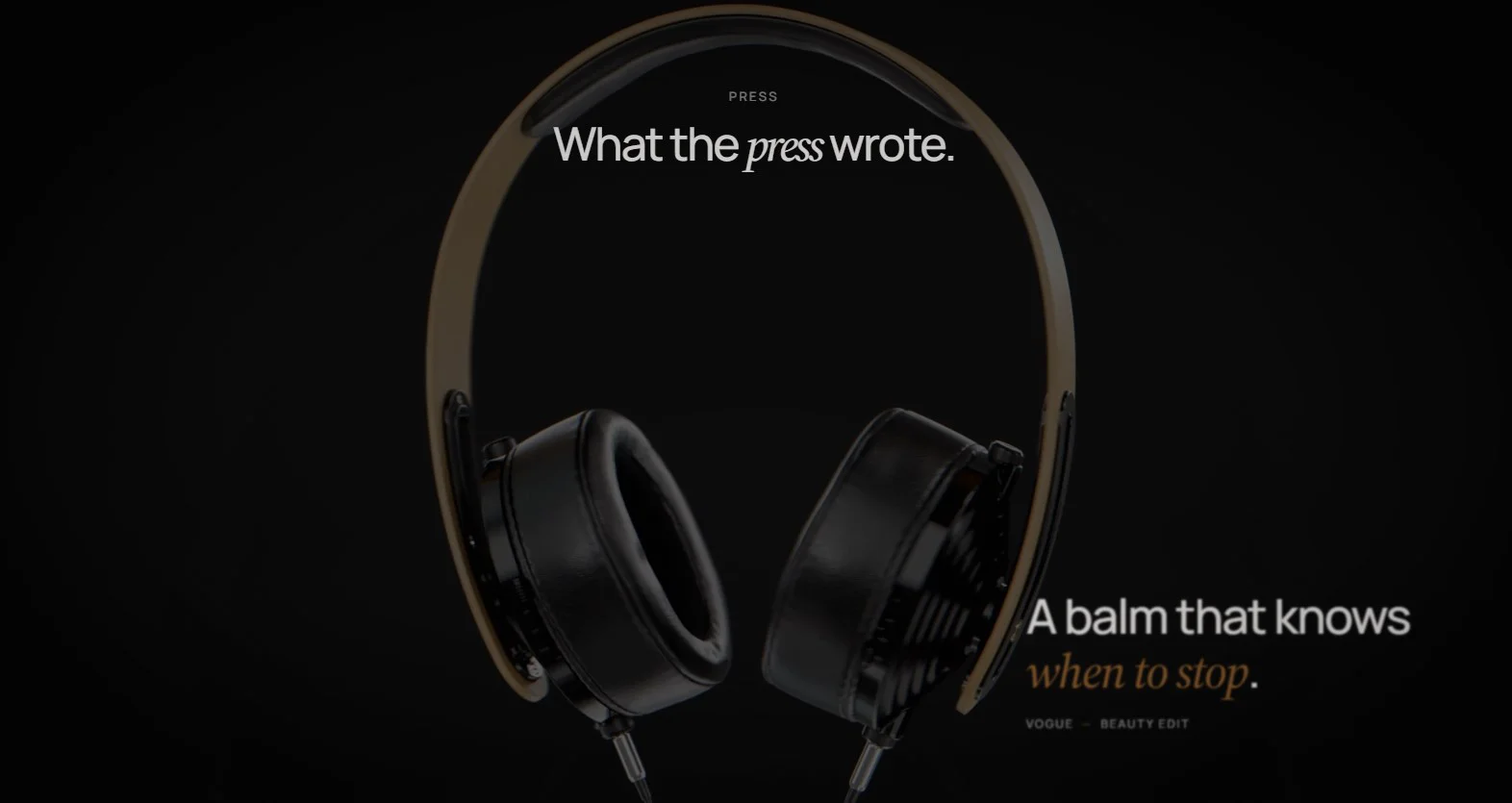
Features:
- Heading with overline, size, alignment, and italic accent
- Up to 8 quotes
- Quote text where an italic word is emphasised
- Source and detail line under each quote
- Alternating left/right placement
- Scroll-keyed reveal with blur and rise on desktop; static on mobile
- Blocks: Quote
Press reviews
A rating summary beside a looping carousel of numbered customer letters. The left column shows the score, caption, and introduction with a slide counter and arrows.
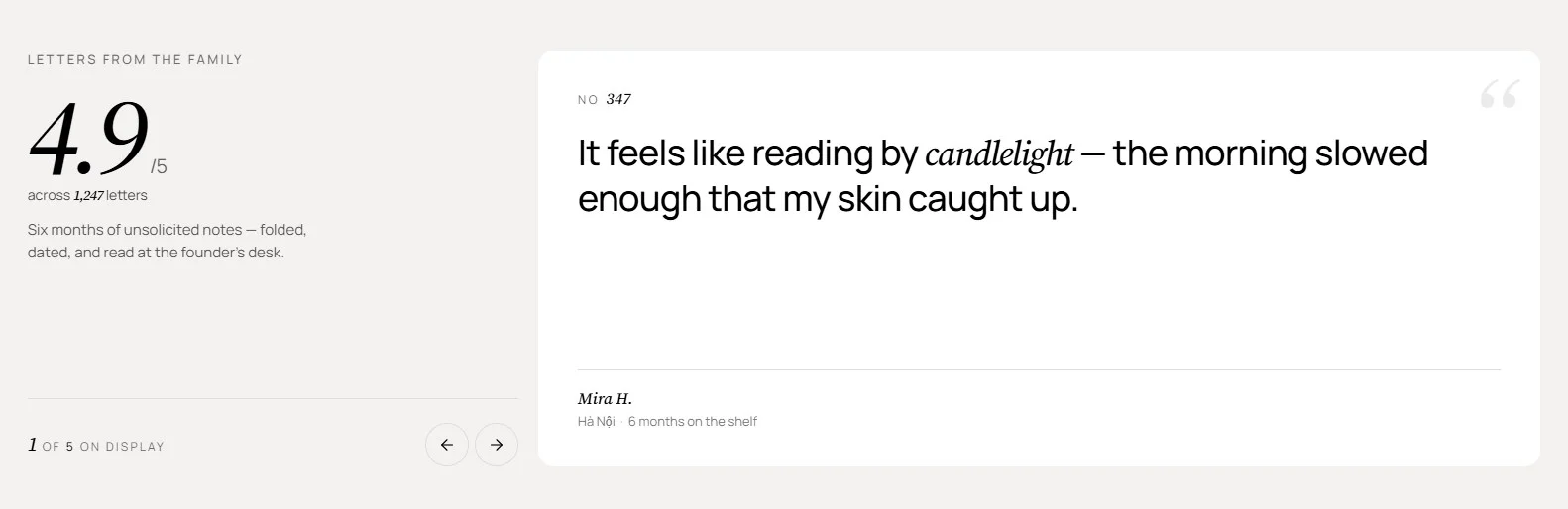
Features:
- Overline, rating, rating scale, and rating caption
- Rich-text introduction
- Slide counter with a custom counter label
- Previous and next arrows
- Auto-rotate with a "Change slides every" interval from 3 to 9 seconds
- Letter number, quote, name, location, and detail per slide
- Blocks: Letter
Press marquee
A continuously scrolling ticker of press names, shown as styled text or logo images, under an optional overline.

Features:
- Overline above the ticker
- Speed from 1 to 10
- Direction: right to left or left to right
- Press name as text or image
- Text styles: Serif, Uppercase wide, Uppercase bold, Serif with italic, or Uppercase with italic
- Blocks: Press name
- Customer voices: Testimonial grid to spotlight one or two featured reviews beside a stack of shorter ones.
- Critic pull-quotes: Press quotes for a cinematic, scroll-revealed stack of short quotes.
- Detailed letters: Press reviews when you have a headline rating and longer, numbered testimonials.
- Logo wall: Press marquee for a light "as seen in" strip that needs no reading.