Change collection template
This guide describes how to assign one of Lotio's collection templates to a collection.
All three templates use the Main collection section under a Collection page title section. They differ in the Filter type setting of Main collection, which decides where the filters sit:
| Template | Filter type | What you get |
|---|---|---|
| collection (default) | Horizontal | Filters run in a bar above the product grid. Also includes a Collection cards row so shoppers can jump to related collections. |
| collection.drawer | Drawer | Filters open in a side drawer from a Filter button, leaving the full width for products. |
| collection.sidebar | Vertical | Filters sit in a column beside the product grid and stay visible on desktop. |
Assign a template to a collection
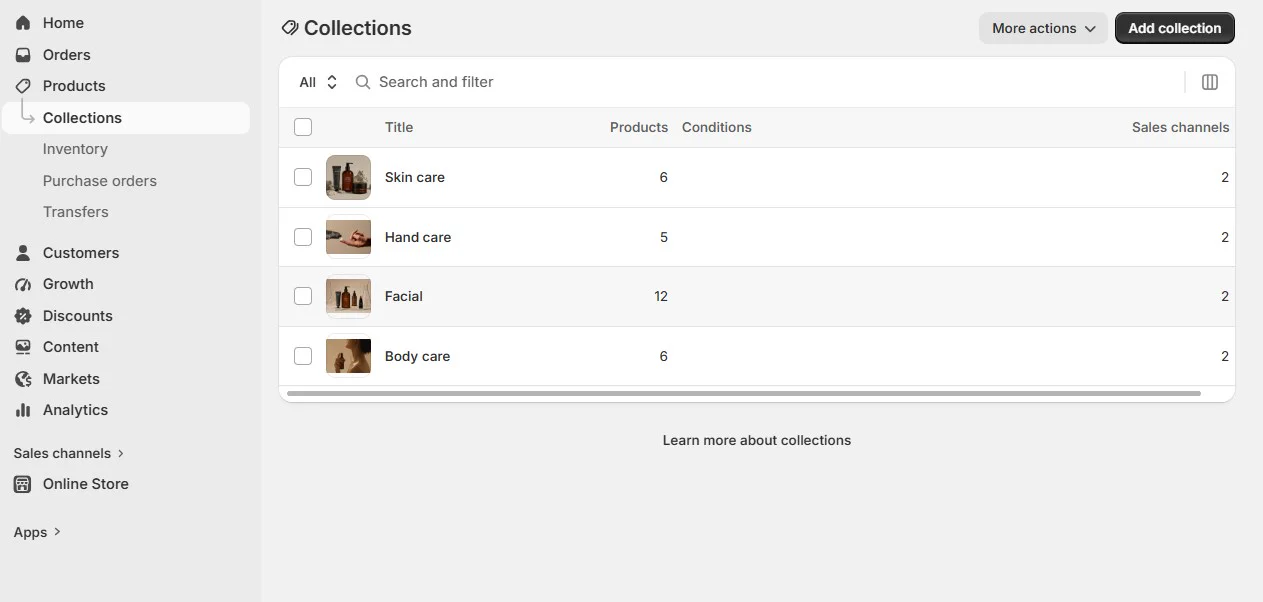
- On your store's Shopify admin page, from the left-side menu, select Products > Collections, then select the collection you want to change.
- On the collection page, find the Theme template box in the right-hand column and select the template you want to use: Default collection, drawer or sidebar.
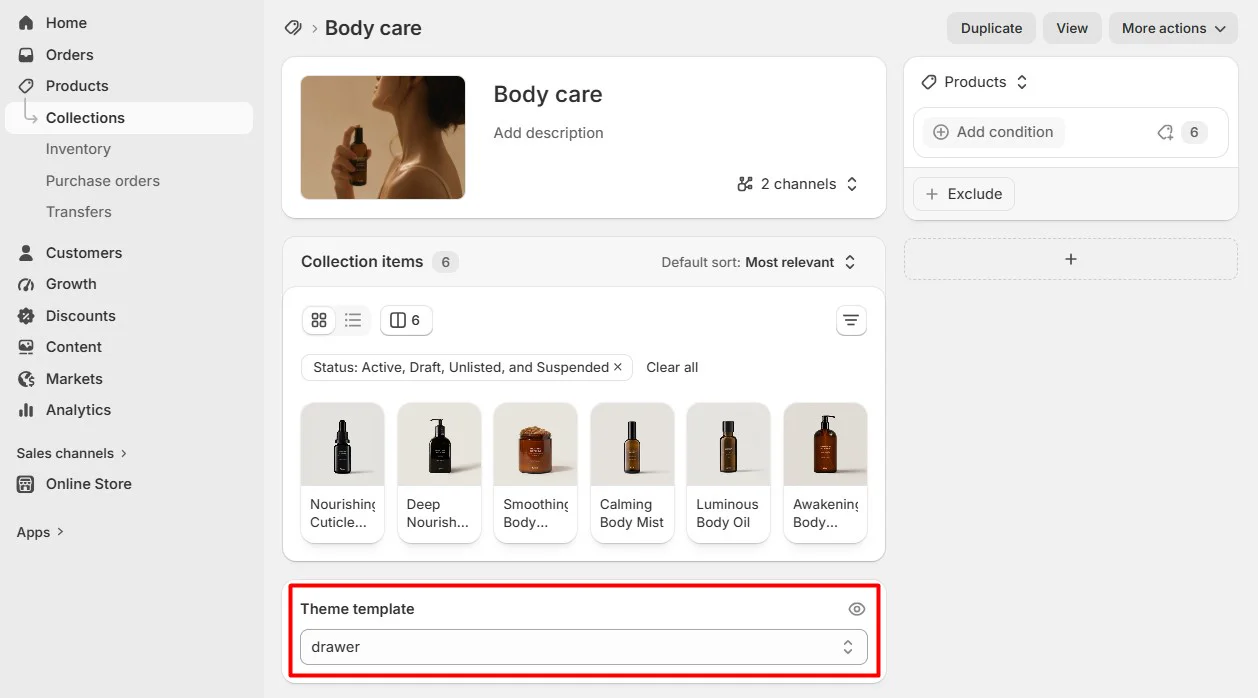
- Select Save at the top of the page. The collection now uses the chosen layout.
Change the filter layout without switching templates
You can also change the filter position on the template you already use:
- Open the Theme editor (Sales channels > Online store > Themes > Customize).
- From the page selector at the top, select Collections and the template you want to edit.
- Select the Main collection section in the sidebar.
- Under Filters settings, change Filter type to Horizontal, Vertical or Drawer. You can also turn Enable filtering and Enable sorting on or off here.
- Select Save.
note
Filter type is automatically optimized for mobile: on small screens the filters always open in a drawer, whatever you choose.
tip
Changes made in the Theme editor apply to every collection that uses that template. To give one collection a different look, assign it a different template as described above. See Collection sections for the sections you can add to a collection page.