Dark/Light mode
This guide describes how to set up a dark mode for your store and give visitors a switch to toggle it.
Dark mode in Lotio works by mapping color schemes: each light scheme is paired with a dark scheme, and when a visitor turns dark mode on, every section that uses a light scheme switches to its dark partner. You therefore need at least one color scheme with a dark background and light text.
Create the dark color schemes
- On your store's Shopify admin page, from the left-side menu, select Sales channels > Online store > Themes.
- In the Current theme section, select Customize to open the Theme editor.
- Select the Theme settings tab in the sidebar and open Colors.
- Check that you have at least one dark scheme (dark Background, light Text), or select Add scheme to create one. Note its name, for example Scheme 2.
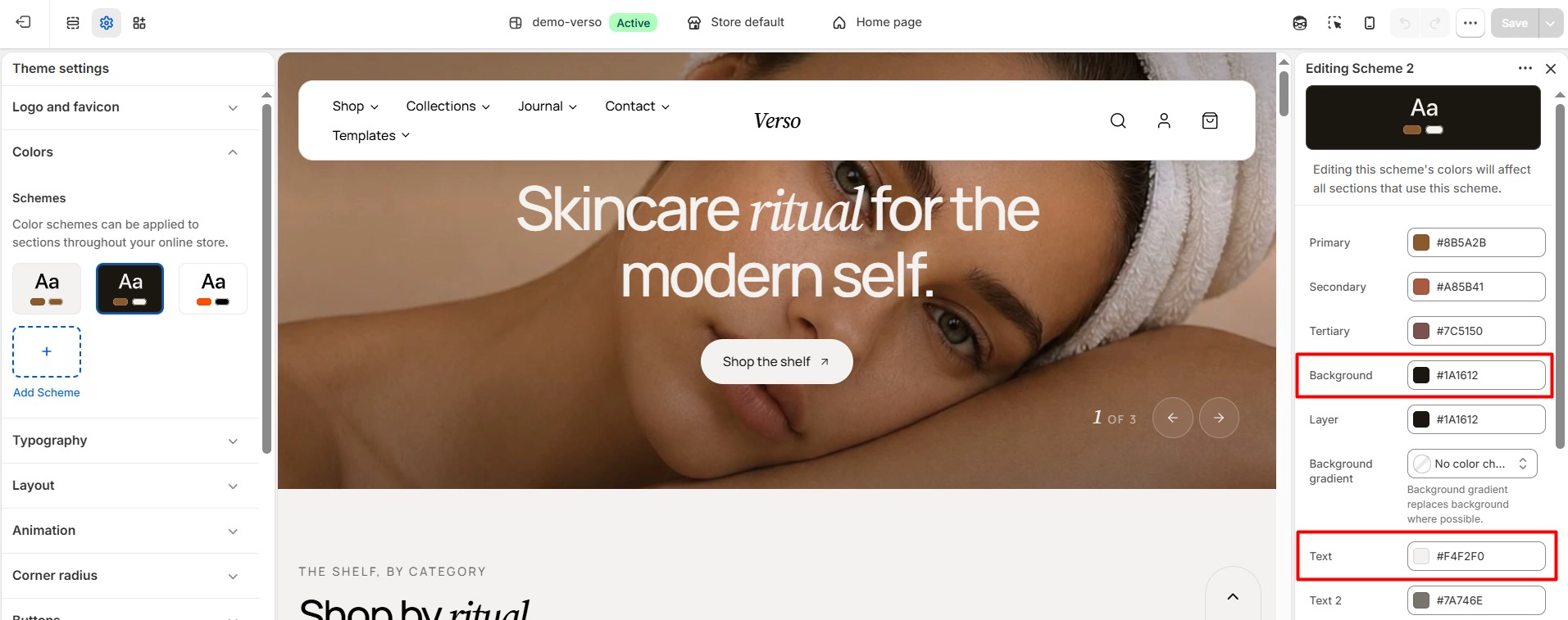
Map light schemes to dark schemes
- Still in Theme settings, open Dark mode.
- In the Dark mode mapping field, enter one pair per line in the format Light scheme: Dark scheme. Press Enter to add another line.
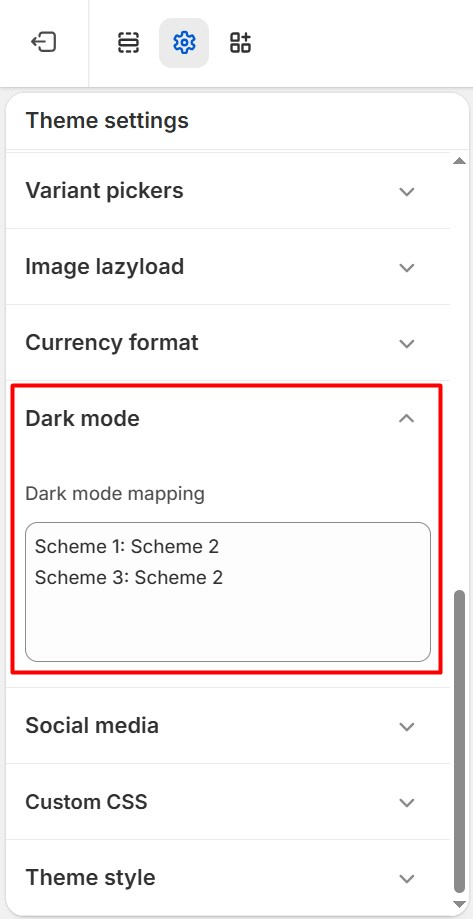
The theme ships with this mapping:
Scheme 1: Scheme 5
Scheme 2: Scheme 4
Read it as: sections that use Scheme 1 switch to Scheme 5 in dark mode, and sections that use Scheme 2 switch to Scheme 4. Several light schemes can point to the same dark scheme, for example:
Scheme 1: Scheme 2
Scheme 3: Scheme 2
- Select Save.
Use the scheme names exactly as they appear in Theme settings > Colors. A scheme that is not listed in the mapping keeps its colors in dark mode.
Add the Dark mode switch
Visitors toggle dark mode with the Dark mode block of the Floating sidebar section.
- In the Theme editor sidebar, scroll to the Features group at the bottom of the section list.
- If Floating sidebar is not there, select Add section and choose Floating sidebar.
- Select the section and, under its blocks, select Add block > Dark mode. You can adjust the Icon size and the icon Color and Color opacity.
- In the section settings, choose the Placement of the sidebar and whether it is Hidden on scroll down or Hidden on mobile.
- Select Save.
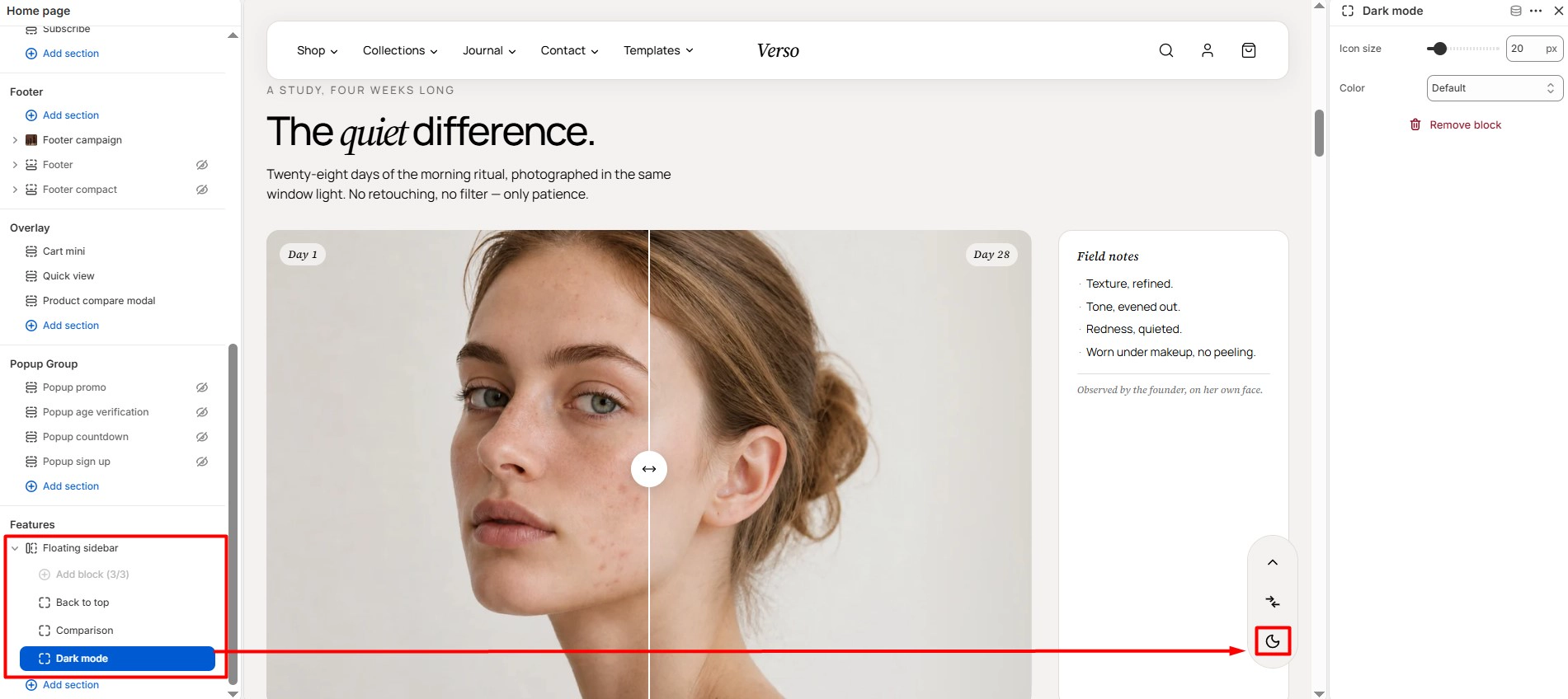
The Floating sidebar is a section group, so the switch appears on every page.
Preview your homepage, product page and cart with dark mode on. Images, badges and buttons that look fine on a light background may need a different scheme, and you can pair any section with its own dark partner by giving it its own light scheme and adding a line to the mapping.