Cart attributes
This guide describes how to collect extra information about the whole order (a delivery date, a gift message, "how did you hear about us") on the cart page.
Cart attributes are saved with the cart and, after checkout, appear on the order in your Shopify admin under Orders > [order] > Additional details.
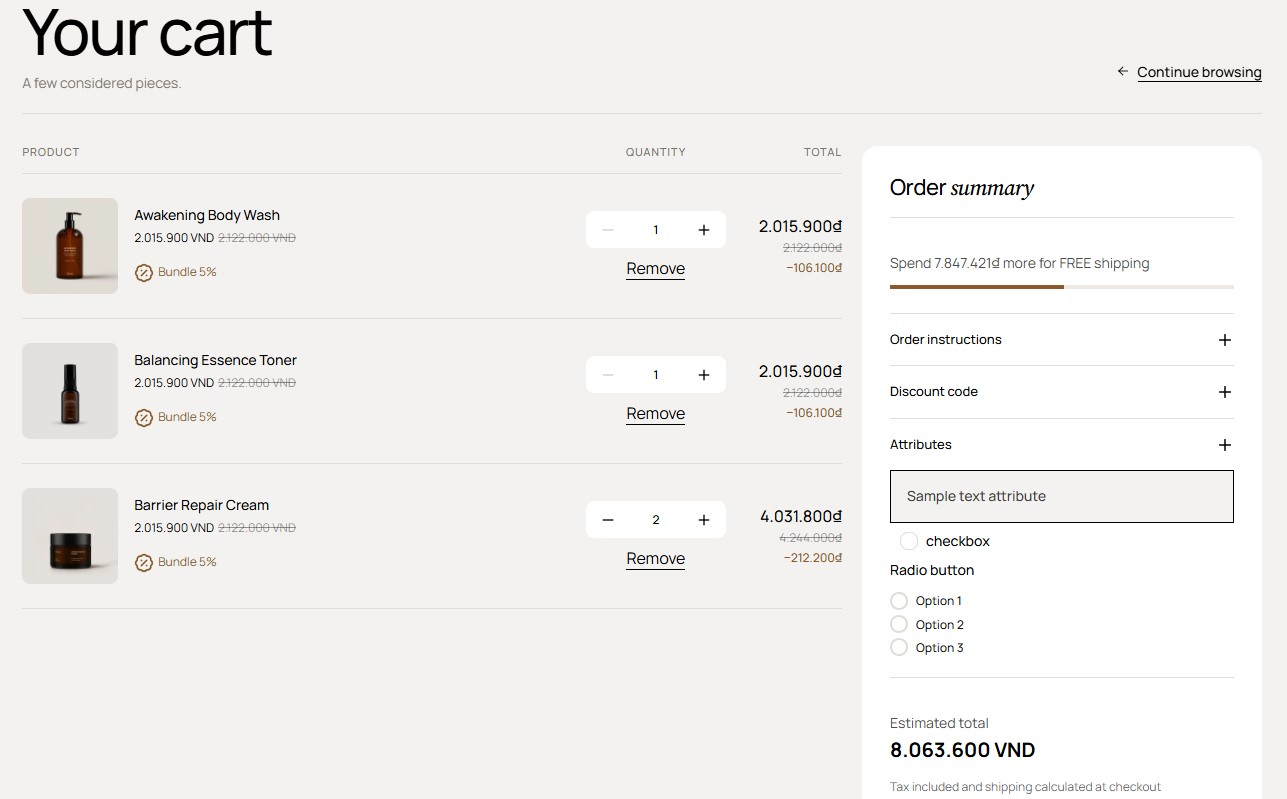
Enable cart attributes in the Main cart section
- On your store's Shopify admin page, from the left-side menu, select Sales channels > Online store > Themes.
- In the Current theme section, select Customize to open the Theme editor.
- From the page selector at the top, select Cart, then select the Main cart section in the sidebar.
- Scroll to the Cart attributes group in the section settings:
- Enable cart attribute: turn on to show the attributes form.
- Cart attribute type: Regular shows the fields directly; Collapse hides them behind a collapsible row.
- Text: the heading of the form or collapsible row (default
Attributes).
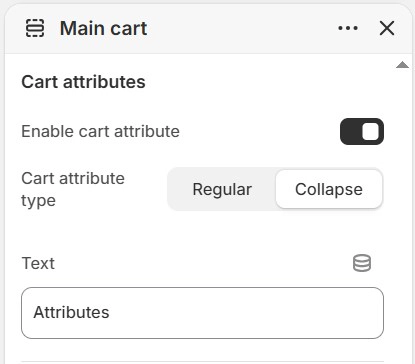
Add the attribute fields
- With the Main cart section selected, select Add block > Cart attributes. Add one block for each field you want to collect.
- Configure each block:
- Type: Default (single-line text input), Checkbox, Radio or Dropdown.
- Text: the field label. It is also the attribute name shown on the order, so keep it short and unique.
- Checkbox group, Checked value and Unchecked value: the values saved for a ticked or empty checkbox (default
Yes/No). - Radio buttons group, Options: the choices for a Radio field, separated by commas.
- Dropdown list group, Options: the choices for a Dropdown field, separated by commas.
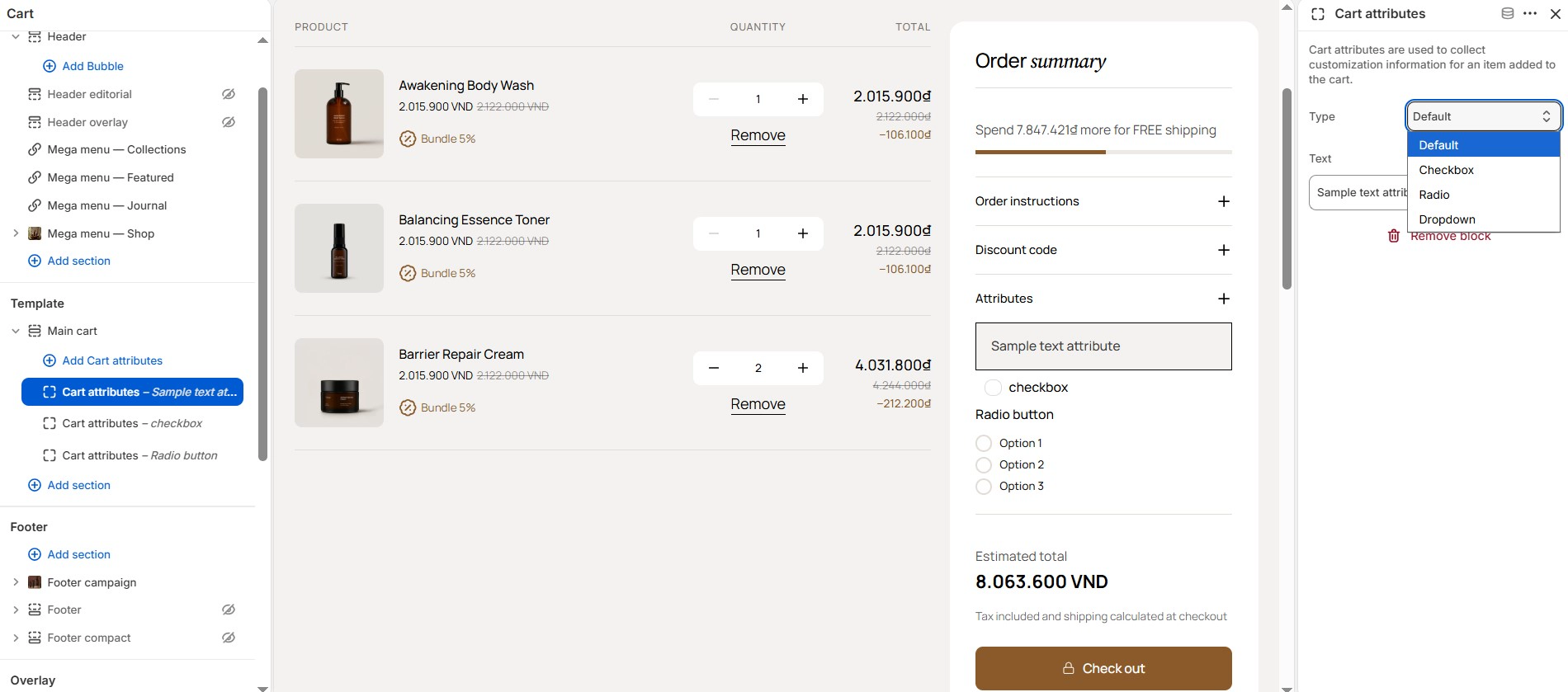
- Select Save. The fields are part of the cart form, so the values are submitted with the cart when the customer selects Checkout and are stored on the order.
Cart attributes are only shown on the cart page. If Theme settings > Cart > Cart type is set to Drawer or Popup notification, customers reach the cart page through the drawer's View cart link. The cart drawer supports a note and a discount code instead; turn those on with Show cart drawer note and Show cart drawer discount in the same settings group.
To collect information about one product rather than the whole order, use the Line item properties block on the product page. See Product line item properties.