Variant option links
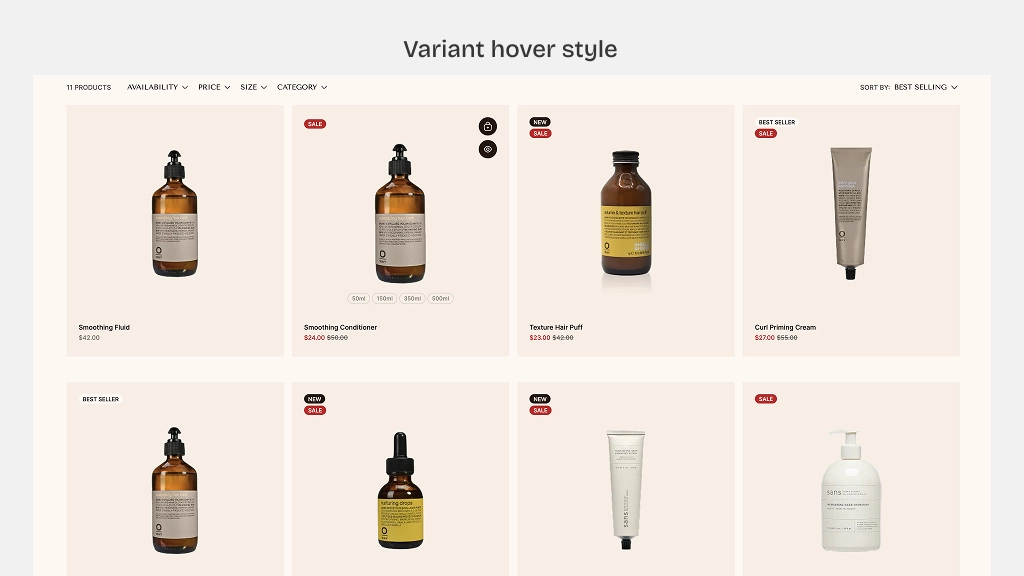
Size variants are a great way to show your product size when an user hovers over the product card.
How to set up variant color swatches
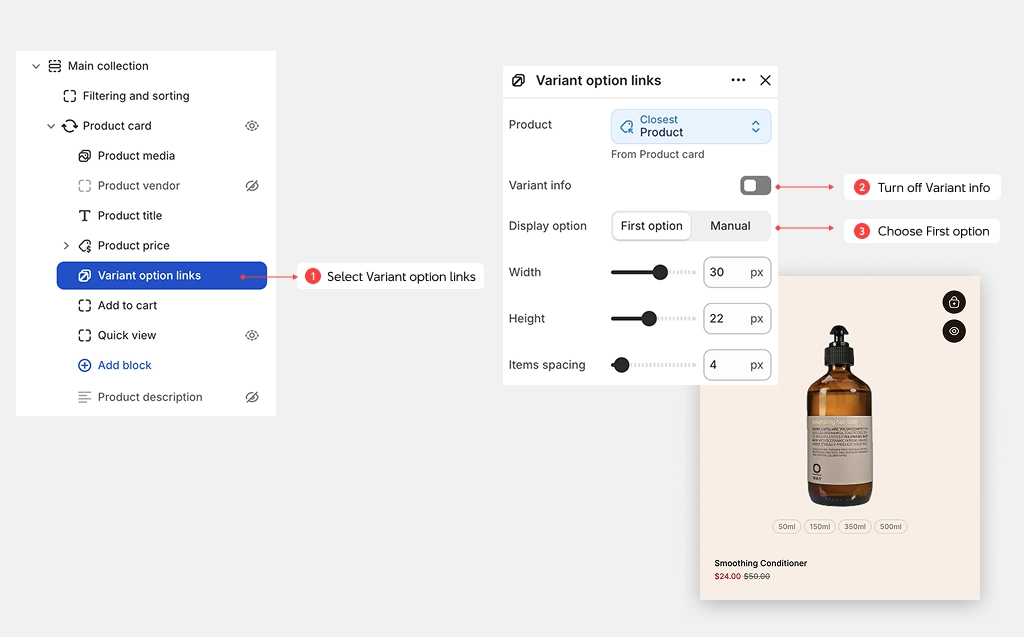
- Open the Theme Editor, and select a Product card block
- Select Variant option links block
- Turn off Variant inf. By default, it will show the first variant on hover.
- Choose First option for Display option. this will show the first variant (in this case: Size) as selectable pills for users when they hover.
You can also show the variant
- Color swatch: Color variants appear as swatches. Learn more about Color swatches
- Variant image: Color variants appear as the image set for product variants