Using
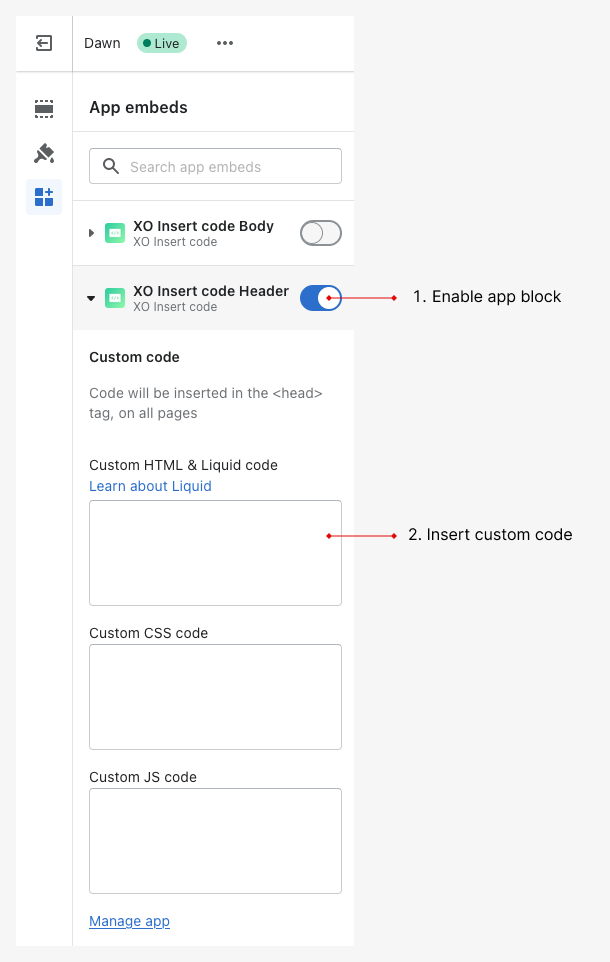
Enable XO Insert code
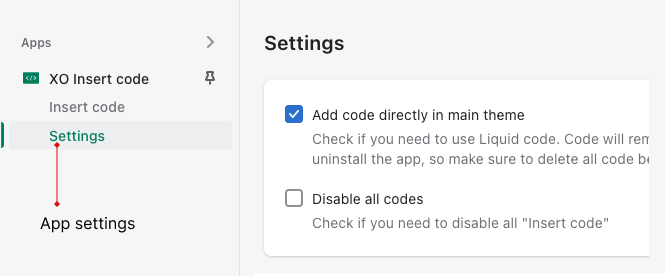
You can enable XO Insert code in your theme customizer or check Add code directly in main theme. With this option, you can add liquid code.
Add new code
From Insert code page, click Add new code button. Here you have fields:
- Title (require): For seperate codes
- Enable or disable the code
- Choose where to add code
- Fill code in header/body/footer
Add code using app embeds
If you paste your code here, it will be applied to entire store.