Product information layout
Fullframe has many unique ways of showing product information, including 3 layouts that can display products in a visually appealing way. Here is how to use it
Step 1: Access the Product information section
- Open your Shopify Theme Editor
- Navigate to the Product Page template
- Access the Product information section
Step 2: Choose a layout style
Each layout can present product details differently, allowing flexibility for your brand.
Style 1 - With collapsible
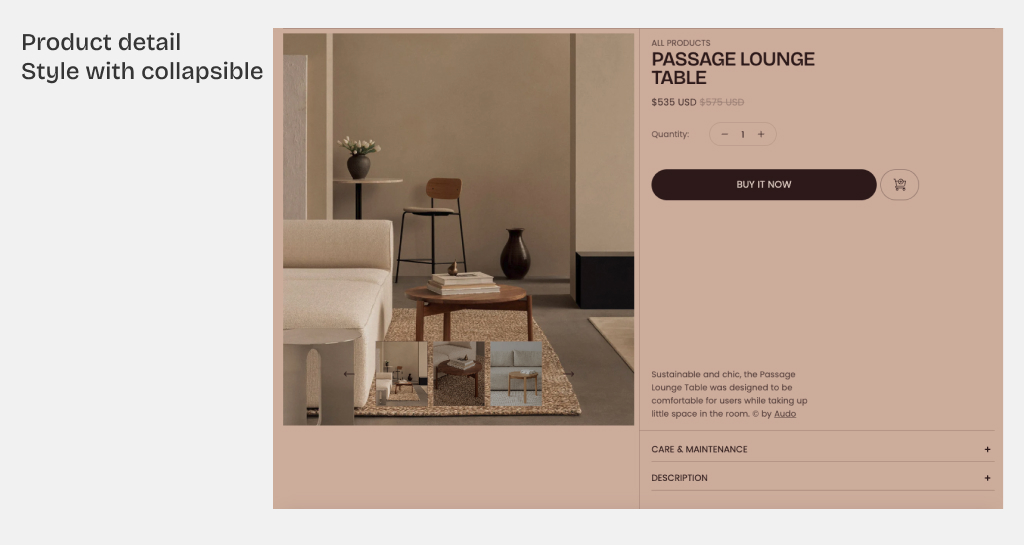
- Display product information with collapsible content, in which users can click on to expand or retract.
- Ideal for products with multiple details like Care & maintenance, Material description.
Style 2 - With line
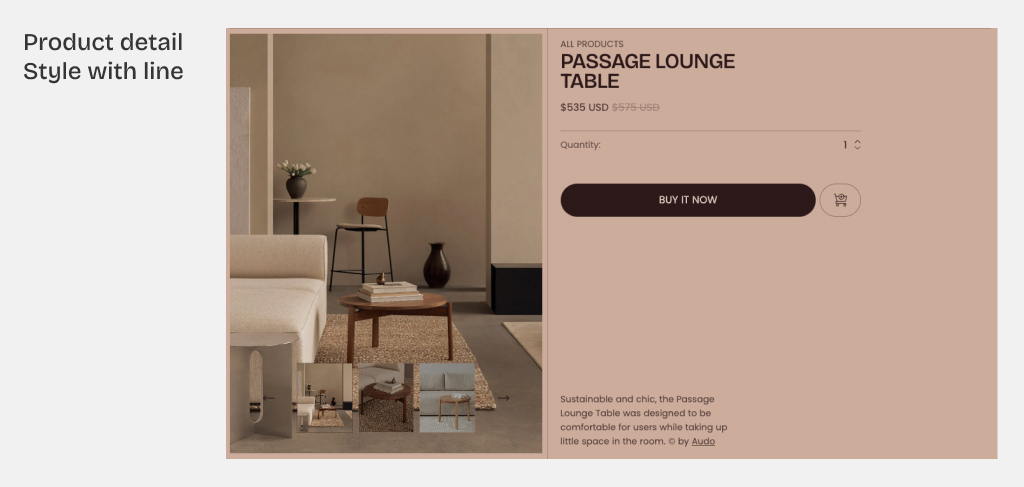
- Display product information in a more extreme Line style which changes the look for the quantity box, and leaving a white space on the right. Collapsible or Specification blocks won't be shown.
- Ideal for a minimal product layout, leaving only essential information left
Style 3 - With specification
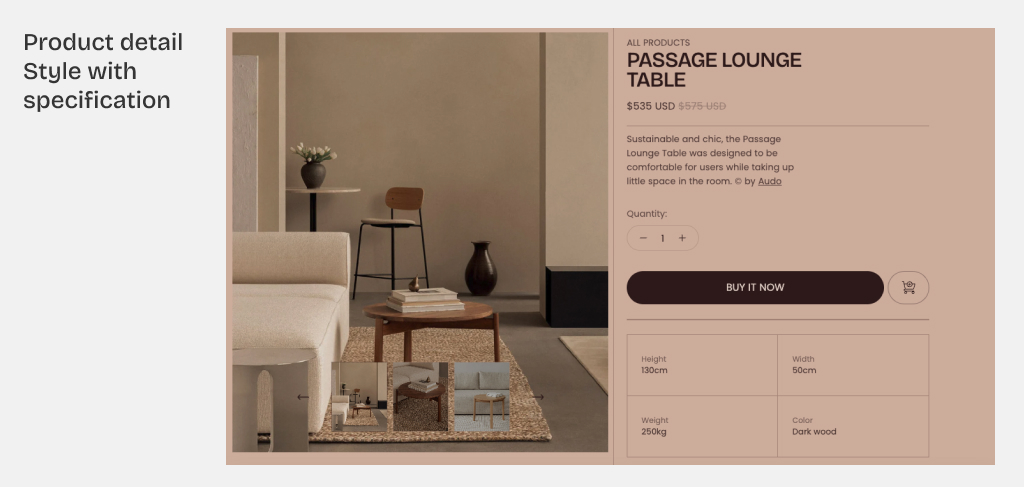
- Display product information with a table of specification, which allows for a more condensed information layout.
- Ideal for products with multiple data that need to show, ensuring visibility of all information
Step 3: Save and preview
- Click Save to view the changes
- Preview on desktop and mobile to ensure that you are satisfied with the result.
Other customization for the product information
Change navigation
You can change the product image navigation position into:
- In thumbnail
- In content
You can also choose the button style from:
- Default
- Circle
- Boxes
Change variant style
You can change the variant style into:
- Radio
- Boxed
- Select
- Label
You can also change the variant color swatches style into:
- Radio
- Boxed
- Select
- Color swatch
- Variant image
Add specification
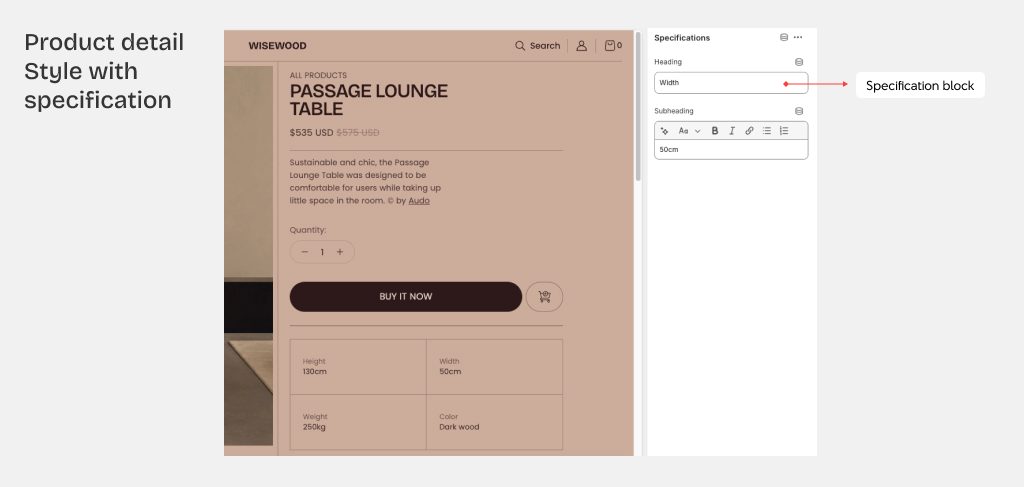
You can add specification box into the product information section (only work on Style 3 - With specification)
Each box include a heading and a subheading, for example: Heading: Size, Subheading: 50cm
The best number of specification is 6, so you have equal columns of information on any screen size
Add material
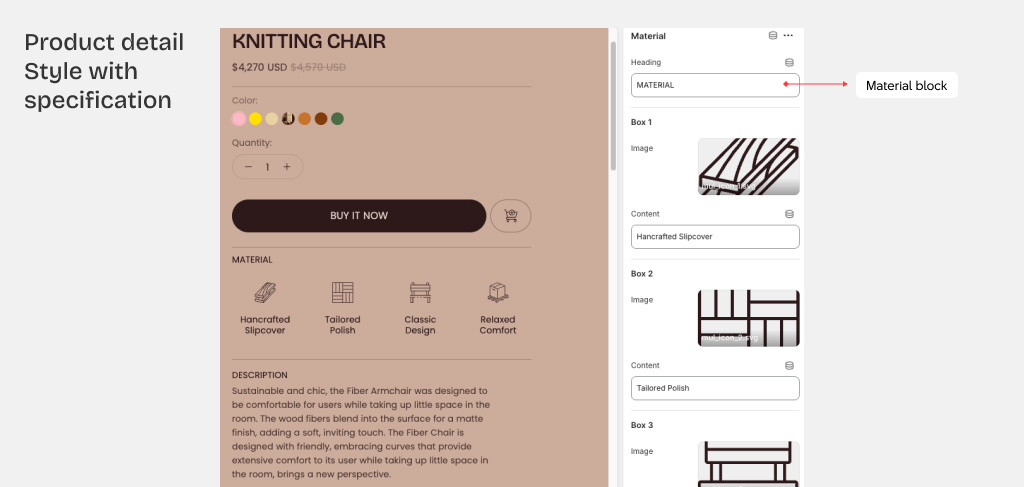
Built for physical products, Fullframe also lets you add an icon row to show 4 materials by using icons and texts.